Chapter 33: Portals
There are online portals which provide the basis for direct democracy, such as:
- Public Service Portal
- Tax Office Portal
- Rule of Law Portal
- Judiciary Portal
Many of the public services have their own portal.
The portals allow for submitting proposals, reviews, comments, tagging content, discussions, informal polls, and voting.
Everyone can participate. Participation (including voting) is not compulsory.
Formal proposals are voted on, and need a majority in favour with a minimum vote count before they go through a formal review. Formal review is required to ensure a proposal meets prerequisites related to being coherent, unambiguous and consistent with the constitution (in other words the rule of law).
Each user requires a personal account with a secure login. All public content identifies its author. This is fully automated so creating anonymous content isn't possible. Anyone reading content can find basic details about its author such as their full name. In many cases there is a requirement for voting to be anonymous.
Free speech is unconditional except for very few and specific cases involving immediacy to commit acts of violence. For example, inciting a mob to destroy property or kill would not be free speech.
Although it seems rational to want to censor misleading, hateful, and hurtful speech, the problem is that it is impossible to get consensus on what is unacceptable. Also, censorship presumably means most of the public are denied access, so it implicitly involves a minority making decisions for the majority - the opposite of democracy. Therefore, we let each person draw their own conclusions. The fact that the author is public reduces harmful content because their reputation in the real world is at stake.
Applying metadata to content or authors is encouraged. For example, users or communities can independently tag items in different ways. Metadata can be private or public.
Forums provide sophisticated search, order, and filter functionality. This can be based on content, metadata, and popularity to help a user read the content they regard as important according to their personal preferences. In this manner anyone can choose to censor themselves, or bias what they read, in any way they like, perhaps using metadata tags in a community they follow. It's their choice.
Usually polling or voting for any given topic carries on indefinitely (voting is perpetual), and people can change or retract their vote in the future as often or rarely as they like. At any given time anyone can see the current counts, and history of how it changed over time.
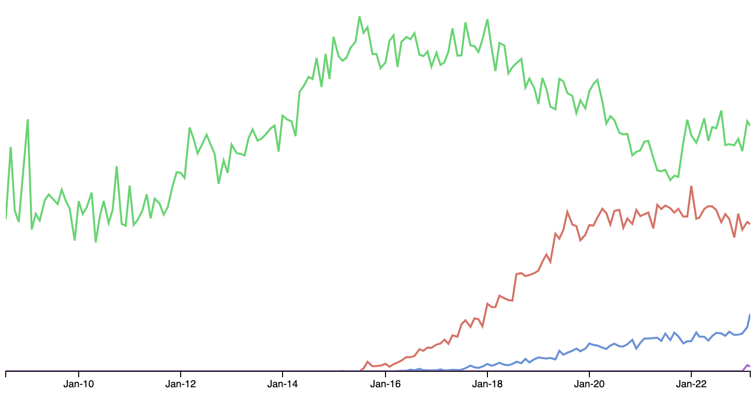
Although implementation of the portals is out-sourced to the private sector, the source code should be open source, and the deployment can be verified by third parties. This avoids algorithms which produce a bias in the way content is filtered or ordered.
Public Services Portal
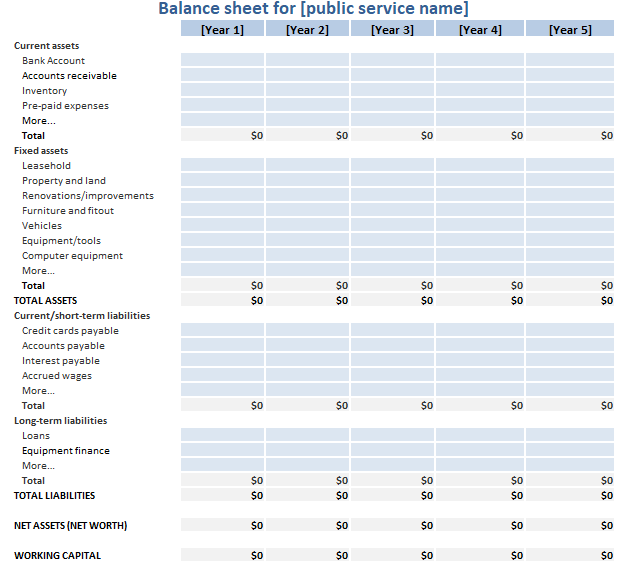
The Public Service Portal (PSP) provides a searchable list of all proposed, registered and deregistered services. Detailed information about each public service is available, including a balance sheet. The portal covers everything related to the public services.
Public service balance sheet
Each public service has its own accounts for recording assets and liabilities. It has its own balance sheet, which is available online and can be viewed by anyone.
Summary information about the services
It is often useful to display all the services in a table, with columns showing useful summary information, and allowing for defining filters and defining the order in which the records are shown.
Columns can, for example, include:
- Any numbers that appear on the balance sheet over a given time period, such as allocated tax, total current assets, bank account balance, total liabilities, equity, total sales, total purchases, total loans, interest repaid.
- number of votes for, against and redacted for registration of the service
- The date the service was first registered
- Classification tags. E.g. is it a social media service?
- number of customers
Furthermore this information can easily be downloaded to allow anyone to do their own analysis of the data.
The PSP allows for displaying the amount of tax that has been allocated to all the services in a given time period. The list can be displayed in order of tax allocations. This allows people to understand how tax is being distributed.